THE SHORT ANSWER
A useful backup plan names the loads it supports, how long they should run, and how they connect. Portable plug-in backup and an installed circuit-based system are different projects.
Define what must keep running
Begin with a short priority list: communications, selected lighting, refrigeration, and any other equipment your household depends on. Identify the particular devices, not just broad rooms. A kitchen can include small electronics and very large loads.
Decide what is essential, what is optional, and what can wait. This is a planning judgment for your household. If you depend on critical equipment, establish its requirements and contingency plan with the appropriate professional or provider rather than relying on a general consumer example.
Separate output from duration
A backup supply must meet the load’s power requirements and have enough usable energy for the intended period. Check documented startup requirements for motor-driven appliances. A capacity figure alone does not establish which appliances can start.
For a cycling load, use measured energy over a representative period or suitable appliance data. A refrigerator’s compressor rating multiplied by every outage hour may misstate its energy use. Record assumptions and allow for the conditions in which you expect to use it.
EXPLORE RELEVANT EQUIPMENT
Put your plan to work.
Portable power stations
Explore category →
Batteries & storage
Explore category →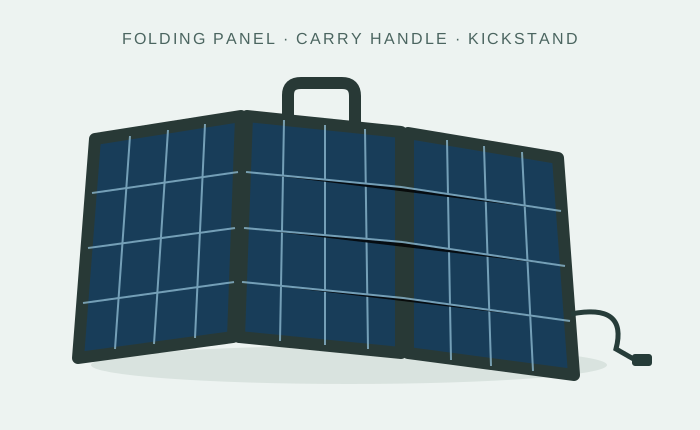
Solar kits
Explore category →Category illustrations, not tested product recommendations. Verified products and merchant offers will be added as the catalog develops.
Build an energy budget
ILLUSTRATIVE LOAD PLAN
Communications and light for an evening
Assume communications equipment averages 15 W for eight hours and lighting uses 10 W for five hours. Delivered energy is (15 × 8) + (10 × 5) = 170 Wh.
At an assumed 85% delivery efficiency, that is 200 Wh of battery energy before an additional reserve. This example excludes refrigeration and larger appliances. It does not establish runtime for any particular product.
Electricity for a router does not guarantee internet access; the external network must also be operating. Treat power and connectivity as separate parts of the outage plan.
Choose the connection boundary
A portable station can supply compatible equipment through its documented outputs. Powering home circuits requires a suitable installed arrangement, including the required transfer or isolation equipment and professional design.
DOE describes solar-plus-storage systems operating independently from the grid through an islanded configuration. Existing rooftop panels or a battery purchase do not by themselves establish that your house has that capability. DOE resilience overview. Never improvise a connection that feeds household wiring from a portable unit.
Plan the second day
Ask how the system will recharge and what happens if sunshine is poor or the outage continues. Consider your practical ability to deploy panels, monitor the equipment, and keep it within its operating limits.
A backup plan also includes charged communications devices, lighting, and household preparation outside the solar purchase. Ready.gov’s outage guidance is a useful preparation resource. Read the outage preparation sheet.
Bring a defined scope to the seller
For a portable purchase, bring your device list, output requirements, duration, and recharge plan. For an installed system, ask for the backed-up circuits, equipment models, switching arrangement, expected behavior, and exclusions in writing.
Continue to battery storage for capacity trade-offs, solar generators for integrated portable equipment, and installer questions for a fixed installation.
Sources & further reading
Reviewed October 22, 2026. The examples are planning illustrations, not results from product testing. Manufacturer instructions apply to the specified equipment.