THE SHORT ANSWER
A solar charger turns sunlight into charging power. Some products include storage; others are panels only. Check the actual outputs and included equipment before assuming it will charge your device.
Choose the charging path
A small USB panel, a solar-equipped power bank, and a folding panel for a power station belong to different buying categories. Start with the device you need to charge and the connection it accepts. A phone cable fitting into a port does not establish that a laptop can charge from it.
For short trips, compare the solar setup with a charged power bank you already own. Solar becomes useful when you can place the panel in reliable sunshine and need to replenish energy over time. It adds equipment to carry and something to position; decide whether that matches your trip.
EXPLORE THE PRODUCT FAMILIES
Find your next starting point.
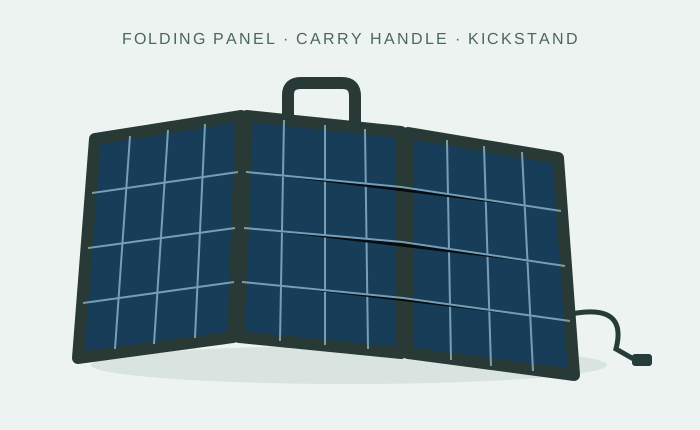
Portable solar panels
Charging you can take outdoors.
Explore category →
Portable power stations
Integrated, movable power.
Explore category →
Batteries & storage
Storage for a compatible system.
Explore category →Category illustrations. Individual products and merchant offers will be added as the catalog develops.
Match the port to the device
For a USB-C laptop, verify the charger’s documented USB Power Delivery output and supported voltage profiles against the laptop’s requirements. Do not infer laptop support from a panel’s total wattage or the presence of USB-C. Check how power is shared when multiple ports are used.
For a panel connected to a power station, verify the station’s solar input limits, panel voltage and current, connector, and polarity. Jackery’s compatibility guidance explicitly calls for checking panel electrical values against the receiving station. Manufacturer guidance.
Plan for shade, movement, and charging interruptions
A panel attached to a moving backpack will not hold the same orientation throughout a walk. A campsite lets you position it more deliberately. Think about when you will actually stop, where the sun will be, and whether you can supervise the equipment.
Check whether charging restarts after shading and whether a compatible intermediate power bank is supported. Keep the device being charged within its own temperature and weather limits; panel weather resistance does not establish phone, cable, or power-bank resistance.
Compare packed equipment, not just rated watts
Record packed dimensions, total weight including cables, setup method, stand or attachment points, and the manufacturer’s water-exposure restrictions. A larger panel may recharge faster under suitable conditions but be a poor fit for a backpack.
For a phone-only setup, prioritize the required output and carrying burden. For a laptop, verify electrical support before considering convenience features. For several devices or use after dark, look at storage as a separate part of the purchase.
Your checkout checklist
Confirm that the exact device is supported, required cables are included or identified, the operating environment is suitable, and any battery storage is explicitly listed. Read the manual before choosing adapters. For more stored energy, continue to our battery guide; for a complete portable setup, see solar generators.
Sources & further reading
Reviewed October 22, 2026. Manufacturer references describe their equipment; they do not establish compatibility for another product.