THE SHORT ANSWER
Verify the exact models, electrical limits, connections, and supported configurations. If an essential compatibility question remains unanswered, resolve it before buying an adapter or another component.
Start with exact model numbers
Collect the manuals for the panel, controller or power station, battery, inverter, and intended loads. Use the documents for the exact revision or configuration you will buy. A product-family name can cover equipment with different ports and limits.
For an existing installation, photograph labels and record the current wiring arrangement for a qualified installer or manufacturer support team. Separate what you know from what you are assuming. A parts list becomes much easier to check when it identifies exact models.
Check the receiving input first
For solar charging, read the receiving equipment’s supported voltage range, maximum voltage, current requirements, power limit, connector, and polarity. Compare those with the panel and the manufacturer’s allowed configuration.
EcoFlow’s DELTA Pro 3 manual specifically warns against exceeding its PV-input voltage limit with the array’s open-circuit voltage. That is a model-specific instruction, not a universal limit to copy to another station. See the manufacturer manual.
EXPLORE RELEVANT EQUIPMENT
Put your plan to work.

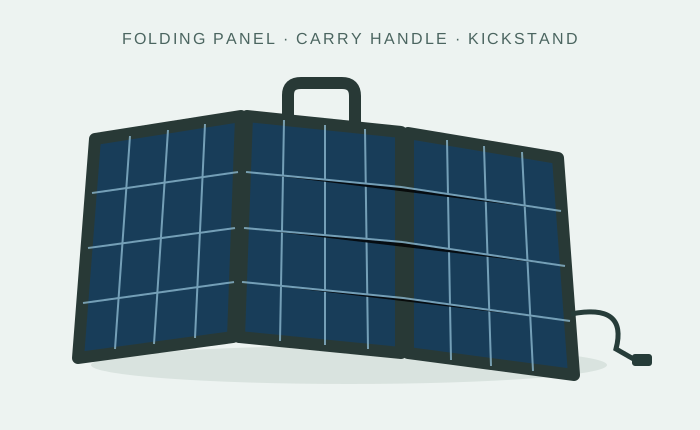
Category illustrations, not tested product recommendations. Verified products and merchant offers will be added as the catalog develops.
Treat adapters and panel combinations as design choices
An adapter can change the physical connection without making the electrical values suitable. Check its intended use, polarity, conductor and current ratings, and approval for the devices involved. Do not use the absence of an immediate error as proof of a supported combination.
Series and parallel arrangements change electrical characteristics. Follow the manufacturer’s allowed configurations, including temperature-related voltage guidance and any limits on the number or type of panels. If you cannot establish the configuration from the documentation, ask the manufacturer or a qualified designer.
Match the battery and charging equipment
Check nominal voltage, chemistry, charging settings, charge and discharge limits, temperature restrictions, and required communications. If a battery contains a management system, that does not remove the need for compatible charging and installation.
For an inverter, verify the battery-side requirements and the AC loads. For an expansion battery, confirm the host unit, cable, supported combination, and firmware requirements if specified. A matching brand or connector does not establish that every generation works together.
Use a compatibility record
| Connection | Evidence to collect | Unresolved question |
|---|---|---|
| Panel to receiving input | Exact panel specs, input limits, configuration and cable | Is the proposed combination explicitly supported? |
| Battery to charger/inverter | Voltage, chemistry, settings, limits and communications | Are additional controls or approved cables required? |
| Power output to device | Required voltage, continuous demand and startup needs | Does the selected output support the actual load? |
Keep the confirmation or manual reference with the purchase. This makes later service and expansion more manageable than relying on a seller’s short listing.
Compare the complete supported cost
Include required adapters, controllers, mounting, wiring, protection, and professional work. A cheaper standalone component can become the more expensive choice when the missing pieces are counted.
AZSP’s buying rule is straightforward: specifications should establish a supported path from energy source to device. For application-specific choices, continue to matching portable panels, inverters and batteries, or solar kits.
Sources & further reading
Reviewed October 22, 2026. The examples are planning illustrations, not results from product testing. Manufacturer instructions apply to the specified equipment.